
HealthTap · New product design
Non-visit encounter note
- Shipped
- 1-month design, 2-month engineering (05.2026 – 08.2026)
- Lead product designer
- 1 PM, 3 front-end engineers, 1 back-end engineer
- Web and iOS
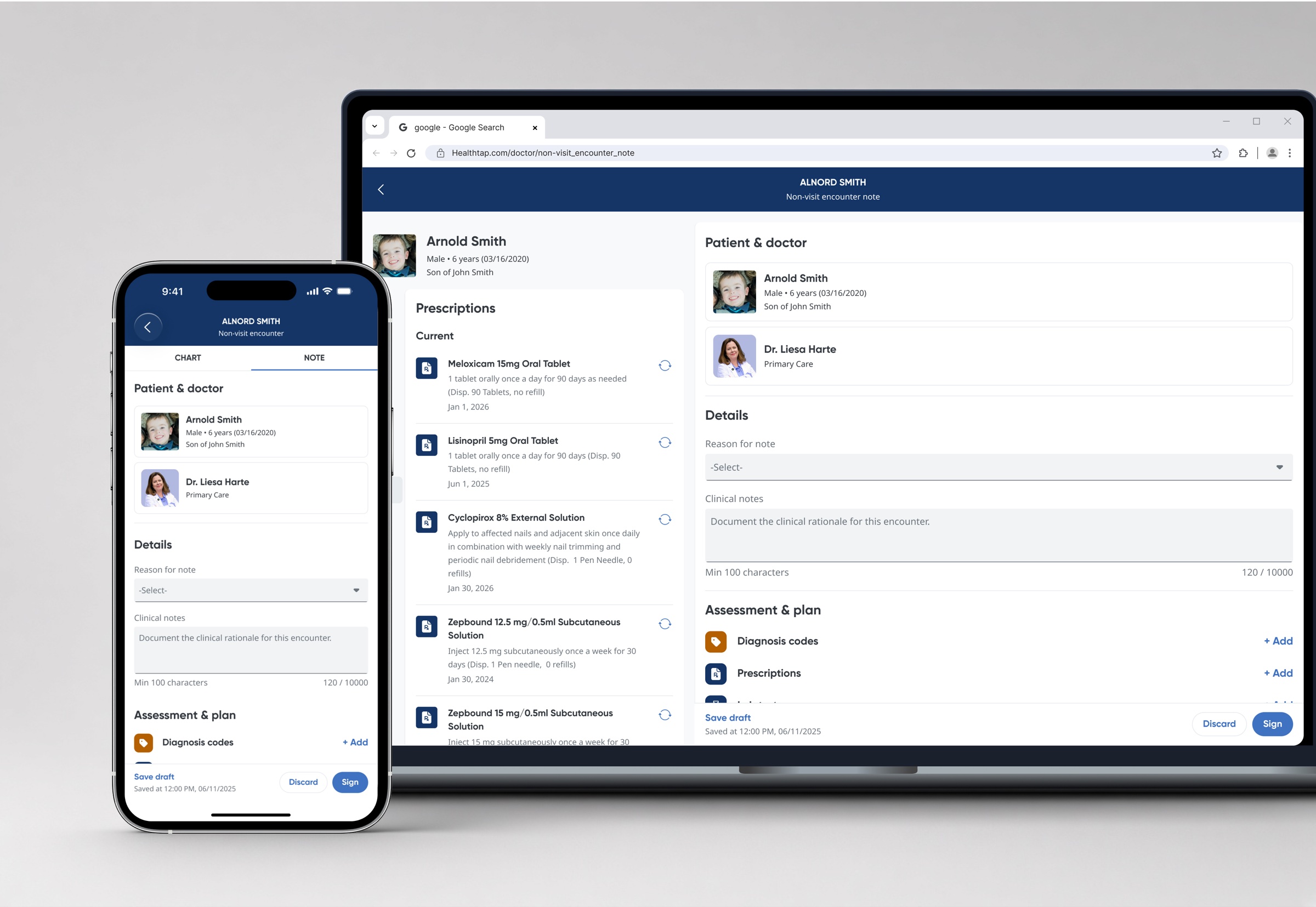
- Background
- HealthTap doctors deliver online primary care and virtual urgent care. Between scheduled video visits they were still renewing prescriptions, reviewing labs and answering messages.
- Problem
- No clean way to document care given between visits, and no clear picture of what happened before, during and after a video visit.
- Approach
- Defined the MVP with the clinical team, explored designs with AI, built a shared design system for web and iOS, and refined it through usability testing with doctors.
- Outcome
- More care recorded, far faster renewals, and a marked rise in how doctors rated the product.
Problem
Inaccurate patient care history
Between video visits, HealthTap doctors were renewing prescriptions, adjusting medications, following up on labs, and answering messages. None of it had a home — the only format was a SOAP note built for a visit.
Inaccurate care history
Hard to tell what happened before, during, and after an online video visit.
Visit and non-visit care blur
Care delivered outside a visit was indistinguishable from care delivered in one.
Poor audit trail
No reliable record of who did what, when — a real problem in a regulated setting.

Research
Non-visit encounter use cases & MVP scope
I worked with Clinical Operations to document and prioritise every non-visit encounter type, with AI-assisted research verified by clinicians. Sorting by frequency gave a defensible MVP: prescription renewal, message follow-up, and clinical updates.

Design exploration
Design exploration & iteration via AI
The AI shortened the path to a first draft. Clinical Operations still decided what was right.


Design system
Design system for the Patient chart and non-visit note
A patient chart holds an enormous amount of information, and it had to work on both desktop and phone, so I set the information architecture and a list component with defined variants, as rules to build against.
Information architecture for web and iOS
Define one consistent structure for Patient chart details, then reuse it in the non-visit encounter note on both desktop and mobile.


List view vs. card view
We explored and tested list and card views for dense information. List view was used in the Patient chart. Card view was used in the note section that patients can also see.


Newly defined list component
One list component, specified across every text-line count and variant, then applied to each area of the chart.

Interaction design
Renewals reuse the previous prescription
Prescription renewal was the most frequent non-visit encounter, and the most tedious: eleven fields re-entered from the previous prescription. The new flow pulls the prior prescription forward intact. The doctor adjusts only what changed.
Usability testing
Five HealthTap doctors, four questions
Testing covered entry point discoverability, workflow, ease of use, and the assumptions behind the design. Three things held up. Two changed the design.

What worked well
Care history became legible
In-between care no longer got buried in the chart, so doctors could follow the thread of a patient's care.
The entry point was found
Doctors discovered how to create a non-visit encounter note without prompting.
Renewal saved real time
Prescription renewal was called out as a significant time saver.
Minor updates: Filter by visit vs. non-visit notes
Let doctors filter visit vs. non-visit notes so non-visit entries don't clutter the encounters list.

More minor updates
- For clinical notes, the 100-character minimum caused the most consistent friction, so we reduced the requirement to allow doctors to enter as little as one character.
- ICD-10 codes are pre-populated, allowing doctors to adjust them in just a few clicks.

Impact
What changed after launch
Official launch in 08/2026.
“A dedicated non-visit note is much better than adding addenda. Updates stop getting lost in old follow-up notes, and the next provider can actually follow the patient's history.”
Dr. N., HealthTap
More projects


